5 Inventory Management Problems That Start Before a Product Reaches the Shelf


The U.S. convenience store industry recorded $341.2 billion in in-store sales in 2025 across 151,975 stores. With the average store handling about 1,484 daily transactions, products are constantly being received, stocked, sold, and replenished. Even a small inventory error can disrupt this process.
But inventory management problems don't always begin on the shelf. They can start when a delivery arrives short, a product is recorded incorrectly, stock is misplaced in the backroom, or inventory movements go unrecorded.
Research shows how costly these breakdowns can be. One study of nearly 370,000 inventory records found that 65% were inaccurate. Related retail research estimated that execution problems could reduce profits by more than 10%.
So, when a product is out of stock, the key question isn't just, "Why is the shelf empty?" It's "Where did the inventory process break down?"
These data issues are common inventory management problems because the system can no longer provide a reliable view of what the store actually has. These data errors make it harder to trust the system's view of available inventory.
1. Receiving Errors
Receiving is the first control point between what a store ordered and what actually arrives. If discrepancies are missed here, incorrect inventory data can move through the rest of the process and eventually appear as stockouts, excess inventory, or unexplained variances.
These are common inventory management problems because an error at receiving can affect every inventory process that follows.
The Delivery Doesn't Match the Order
A store may order 10 cases but receive 8, receive extra cases, get the wrong SKU, or accept a vendor substitution. Case-pack and unit-of-measure differences can create another mismatch. If these differences are not identified during receiving, the system may show inventory the store does not actually have or miss inventory that did arrive.
That creates an inventory receiving discrepancy before the product ever reaches the shelf. The issue can then affect replenishment decisions, invoice reconciliation, physical counts, and inventory variance analysis.
The same discrepancy can also carry into the invoice, where the store may be billed for quantities or items that were not actually received, creating a financial discrepancy alongside the inventory error.
Solution:
- Check each delivered item against the purchase order and count the cases received.
- Separate damaged, incorrect, or substituted products and document missing quantities.
- Record discrepancies in the receiving system, notify the supplier, and hold disputed invoice amounts until they are resolved.
Receiving Doesn't Capture What Actually Arrived
Even when the delivery is physically correct, the receiving process can still introduce an inventory error. Large deliveries, employee time pressure, rushed checks, or incomplete verification can cause missing, damaged, or incorrect items to be overlooked.
When what actually arrived is not accurately recorded, the inventory system starts with the wrong quantity or condition. That error can later affect inventory accuracy, replenishment, invoice reconciliation, and physical counts.
Solution:
- Create a receiving checklist to count delivered items and inspect products for damage.
- Record accepted, missing, and damaged items before completing receiving.
- Assign an employee to verify the delivery and update inventory records based on the actual quantities received, not just the invoice.
2. Inventory Data Errors
Once receiving is complete, the next risk is how the product is represented in the inventory system. Incorrect item data, quantities, costs, or units can make system inventory different from what is physically available even when the delivery itself was received correctly.
The Product Is Recorded Incorrectly
A product can be physically correct but incorrectly recorded in the system. A wrong SKU or UPC, incorrect case pack, unit-of-measure errors, duplicate items, or incorrect item setup can cause the system to interpret the inventory differently from what is actually on hand.
These data issues are common inventory management problems because the system can no longer provide a reliable view of what the store actually has.
Solution:
- Verify the product’s SKU or UPC, case pack, and unit of measure against the actual product and supplier details.
- Correct duplicate or inaccurate product records.
- Update product data whenever pack sizes or product details change.
System Inventory Doesn't Match Physical Inventory
The system may show 20 units while employees can find only 15, or show zero when products are sitting in the backroom. Receiving errors, shrink, misplaced products, transaction errors, and inaccurate counts can all contribute to this gap. The result is inventory inaccuracy that can affect replenishment, stock availability, and variance analysis.
Solution:
- Schedule regular cycle counts, prioritizing high-selling products, high-value items, and SKUs with repeated discrepancies.
- Compare physical counts with system records and investigate differences by checking receiving records, transactions, damaged stock, and misplaced products.
- Correct inventory records only after verifying the cause, and track recurring discrepancies to prevent them from happening again.
3. Backroom Visibility & Storage
Getting inventory into the store is only part of the process. Products can still become effectively unavailable when employees cannot find them quickly or when received inventory sits in the backroom instead of becoming shelf-ready.
Inventory Exists, but Employees Can't Access It
Poor backroom organization, misplaced products, mixed cases, limited storage space, and heavy delivery volume can make inventory difficult to locate. When shelf or backroom capacity is tight, cases may be stacked, moved, or stored wherever space is available, making inventory harder to locate and slowing replenishment.
Poor inventory visibility is one of the inventory management problems that can make available stock effectively unusable. In one retailer study, misplaced SKUs prevented one in six customers who asked for help from finding products that were in the store.
As a result, inventory may appear available in the system but remain inaccessible to employees when the shelf needs replenishment.
Solution:
- Assign fixed storage locations for product categories and fast-moving SKUs.
- Label shelves, bins, and storage areas, and keep similar products together.
- Update inventory locations whenever stock is moved.
- Check storage areas regularly, return misplaced products to their assigned locations, and keep delivery pathways clear.
Received Product Doesn't Become Shelf-Ready
A product can be correctly received and recorded but still remain in the backroom instead of reaching the selling shelf. Competing tasks, limited labor, busy periods, or poor stocking priorities can delay getting products onto the shelf.
When products are not properly rotated during stocking, older inventory can remain behind newer cases, increasing the risk of expired or unsellable products while newer inventory reaches the customer first.
Solution:
- Set a clear process for moving deliveries from receiving to storage and then to the shelves.
- Prioritize fast-selling products and items with low shelf stock.
- Assign employees to replenish shelves during each shift and follow FIFO rotation where appropriate.
- Check shelves regularly to ensure products are stocked, older items are rotated, and available inventory reaches customers on time.
4. Replenishment & Shelf Readiness
Accurate inventory records do not guarantee shelf availability. Fast-selling products can run out on the shelf when replenishment does not keep pace with demand.
Replenishment Can't Keep Up With Shelf Demand
Fast-moving products can sell through the shelf faster than employees replenish them. During busy periods, replenishment may be delayed while staff handle customers, deliveries, or other store tasks. The result is an empty shelf even though additional inventory may still be available in the backroom.
Replenishment can also go wrong when inventory records are inaccurate. If the system shows more product than the store actually has, the next order or replenishment decision may be delayed; if it shows less, the store may order more than necessary.
Solution:
- Identify fast-selling products and set replenishment priorities based on sales and shelf stock levels.
- Set minimum shelf-stock thresholds and schedule regular shelf checks during each shift.
- Assign employees to replenish shelves during busy periods.
- Verify suspicious inventory figures before reordering to avoid stockouts and unnecessary overordering.
Inventory Is Available, but the Shelf Is Still Empty
A product may appear in inventory records but remain unavailable on the shelf because it has not been replenished, is in the wrong location, or is no longer physically available. This creates a shelf availability problem that requires checking both the physical stock and the system record.
Solution:
- Check the backroom and designated storage areas when a shelf is empty.
- Replenish the shelf if stock is available and confirm the product is in the correct location.
- Verify and correct inventory records if physical stock does not match the system.
- Track recurring shelf gaps by SKU and identify whether the cause is delayed replenishment, inaccurate records, misplaced products, or insufficient stock.
5. Inventory Movement & Reconciliation
Inventory continues to change after receiving, creating new opportunities for inventory discrepancies if those movements are not recorded correctly. Damages, expired products, returns, transfers, sales, and physical counts can create differences between what the system expects and what the store actually has.
When these movements are not properly tracked, they become recurring inventory management problems that can undermine inventory accuracy and reconciliation.
Physical Inventory Changes Without the System Being Updated
Products can leave or change condition without the inventory record being updated. Damaged or expired items may be removed, vendor returns may leave the store, or products may move between locations without being recorded. Each unrecorded movement can make system inventory less reliable.
Solution:
- Record damaged and expired products, vendor returns, and stock transfers as soon as they occur.
- Update inventory records to reflect each change in stock.
- Assign an employee to review inventory movement records and regularly compare them with physical stock.
- Investigate and correct discrepancies before they lead to repeated inventory errors.
Inventory Variance Is Found, but the Root Cause Isn't
Finding an inventory variance is only the starting point. A physical count may reveal, for example, a $10,000 difference, but simply adjusting the system quantity does not explain why it happened. Without identifying the underlying cause, such as receiving errors, shrink, misplaced inventory, or unrecorded movements, the same variance can happen again. This matters because process and control failures were 27.29% of retail shrink in 2022, according to the National Retail Federation's security survey.
Solution:
- Recount affected products and review receiving records, sales transactions, returns, and inventory adjustments.
- Identify and document the root cause before changing system quantities.
- Correct inventory records and implement corrective actions to prevent the same issue from recurring.
- Track repeated variances by SKU, store location, or transaction type to identify patterns.
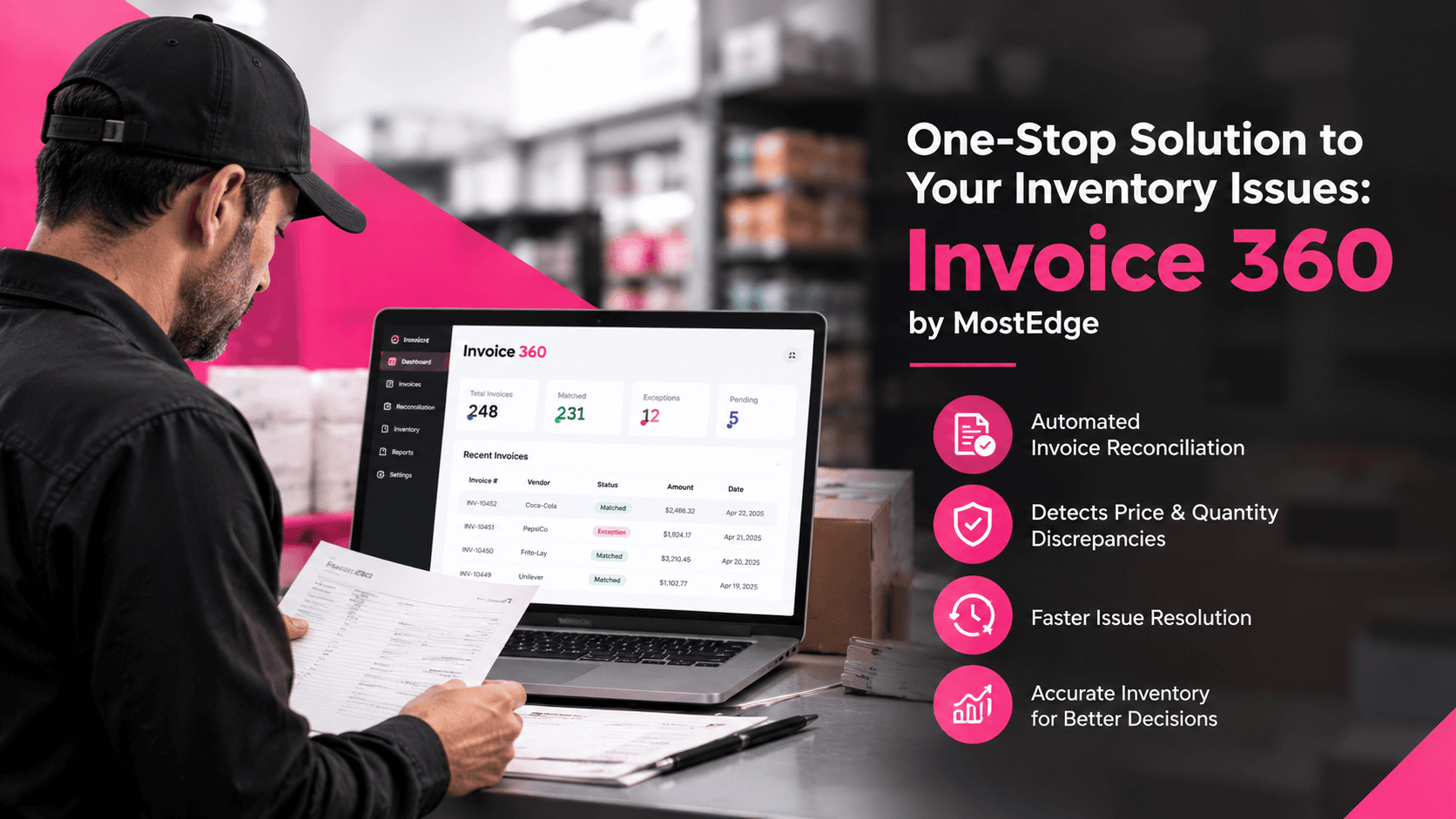
One-Stop Solution to Your Inventory Issues: Invoice 360 by MostEdge
Invoice 360 helps convenience store operators identify invoice discrepancies, verify supplier charges, track product costs, and improve purchasing visibility across multiple store locations.
- Receiving Errors: Compare invoice details with purchase orders and available delivery records to identify quantity mismatches, missing items, and billing discrepancies.
- Inventory Data Errors: Identify supplier billing and product cost discrepancies that can lead to inaccurate purchasing records.
- Backroom Visibility & Storage: Review invoice and delivery records to investigate discrepancies between expected deliveries and recorded inventory.
- Replenishment & Shelf Readiness: Track supplier price changes and purchasing discrepancies to make better-informed purchasing and inventory planning decisions.
- Inventory Movement & Reconciliation: Use centralized invoice records alongside physical counts and inventory movement records to investigate discrepancies and identify potential causes.
By centralizing invoice information, Invoice 360 helps operators reduce manual invoice verification and identify billing issues sooner. It strengthens the purchasing side of inventory control, while physical counts, organized storage, shelf checks, and accurate inventory movement records remain essential for managing actual stock.
The Real Problem Isn't the Shelf
By the time a customer sees an empty shelf, the inventory management problem may have started hours, days, or even weeks earlier. It could begin with a delivery discrepancy, incorrect item data, misplaced inventory, delayed replenishment, or an unrecorded movement. The shelf is where the problem becomes visible, not necessarily where it began.
For convenience store operators, improving inventory accuracy means tracing the process from receiving and recording to storage, replenishment, and reconciliation. Identifying where the process breaks down helps address the root cause instead of repeatedly correcting the same shelf-level symptom. And your partner in making this process easy is Invoice 360.


7 Common Vendor Invoice Mistakes That Impact Profitability

Inventory Accuracy: How to Make Better Decisions With Store Inventory Data
From Flagged to Fixed: How Loss Prevention Case Management Solves the $47.8 Billion Shrink Problem
Explore More

Trusted By Many
Become A Part Of It